
- AI & Automation
- Research
- Windows client
IP7 AI Innovator: Four new modes and the global patent database
The IP7 AI Innovator now offers four specialized modes for different use cases and, for the first time, can operate on the complete global patent database—enabling even more targeted patent searches and innovation analyses.
Release date
July 30, 2026
Version
26.7.3
Feature type
New Function
Type of User
Advanced User
The IP7 AI Innovator has undergone extensive further development. With four new modes, AI-powered patent search and innovation analysis can now be tailored even more precisely to the specific task at hand—across the entire global patent database.
Patent Search
In Patent Search mode, an AI-powered full-text patent search is performed based on a technical description. The patents found are then evaluated for content using an AI-based process and sorted by relevance.
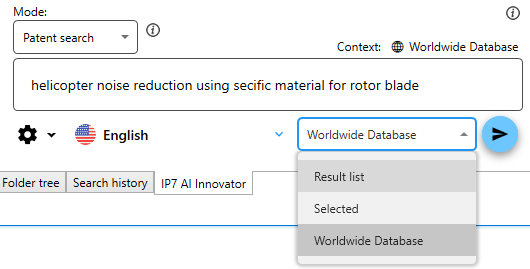
The most Relevant Patent documents are then analyzed And Annotated By a large language Model. to Use this feature, simply enter A technical description. Additional Questions or Instructions are not supported In this mode.
Innovation
The Innovation mode assists in the development of technical solutions. Based on the query entered, relevant patents are searched for and used as a source of information.
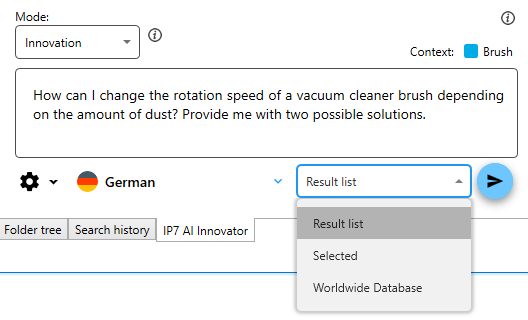
The model can draw on relevant solution principles from various patents and, where appropriate, combine them. Whenever possible, several alternative solutions are presented. These serve as the basis for further development and must subsequently be evaluated by a qualified expert.
Free Mode
Free Mode Offers the greatest flexibility. Here, You can enter a Technical description as well As any Question or instruction.
Apart from guidelines on the structure and formatting of the response, no predefined prompts are used. This makes this mode particularly well-suited for customized analyses and specific technical questions.
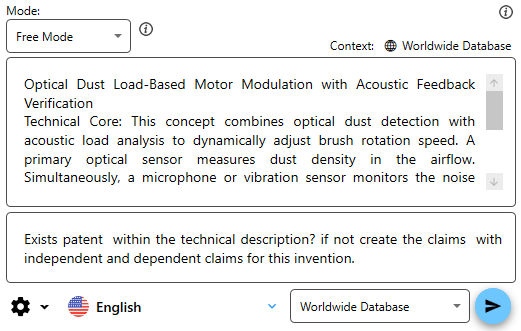
Make sure the technical description matches the question. Based on this description, relevant patents are first identified and then used to answer the question.
Show documents only
"Show documents only" is a fast patent search mode for identifying relevant patents based on a technical description.
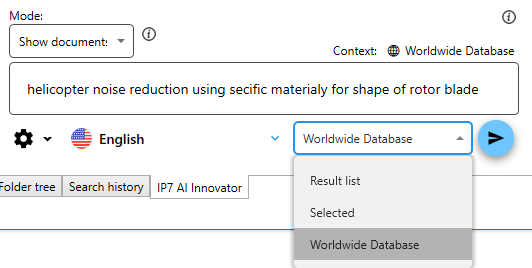
The documents found are sorted by their content relevance using an AI-based ranking system. The language model does not provide any additional commentary or detailed analysis.
Access to the complete patent database
All four modes can now be applied not only to an existing list of results or a single patent. In addition, the entire patent database can be selected as the basis for the search and analysis.
As a general rule, the smaller and more relevant the list of results to be analyzed, the more precise the outcome will be. When dealing with very large data sets—for example, when searching the global patent database—the query and the technical description must be formulated in a sufficiently specific and unambiguous manner.
Example:
Technical Description:
Wrong: helicopter noise reduction using specific shape of the rotor blade
Correct: helicopter noise reduction using specific material of the rotor blade
Enter your question:
Name three materials frequently used for that type of rotor blade.
Optimized prompts for every use case
For each Mode, the underlying prompts were Individually revised and adapted to the respective Use case.
In addition, the IP7 AI Innovator now distinguishes between the analysis of a list of patents and the detailed view of a single patent. This context-sensitive control makes it possible to generate significantly more precise and relevant conclusions.
As a general rule: The AI Innovator works with complete sentences rather than individual terms. To search specifically for individual words, please use the full-text search and right-click to add relevant synonyms to your search terms. The Boolean full-text search also uses ranking algorithms to display the most relevant results first.
The list of results can then be used as a basis for asking specific questions using the AI Innovator.